If you're a pet trainer, vet, or content creator with a growing library of pet care videos, training tutorials, or behavioral guides, you’ve probably asked yourself:
How can I turn all this content into a mobile app... without hiring a developer?
We’ve got you covered.
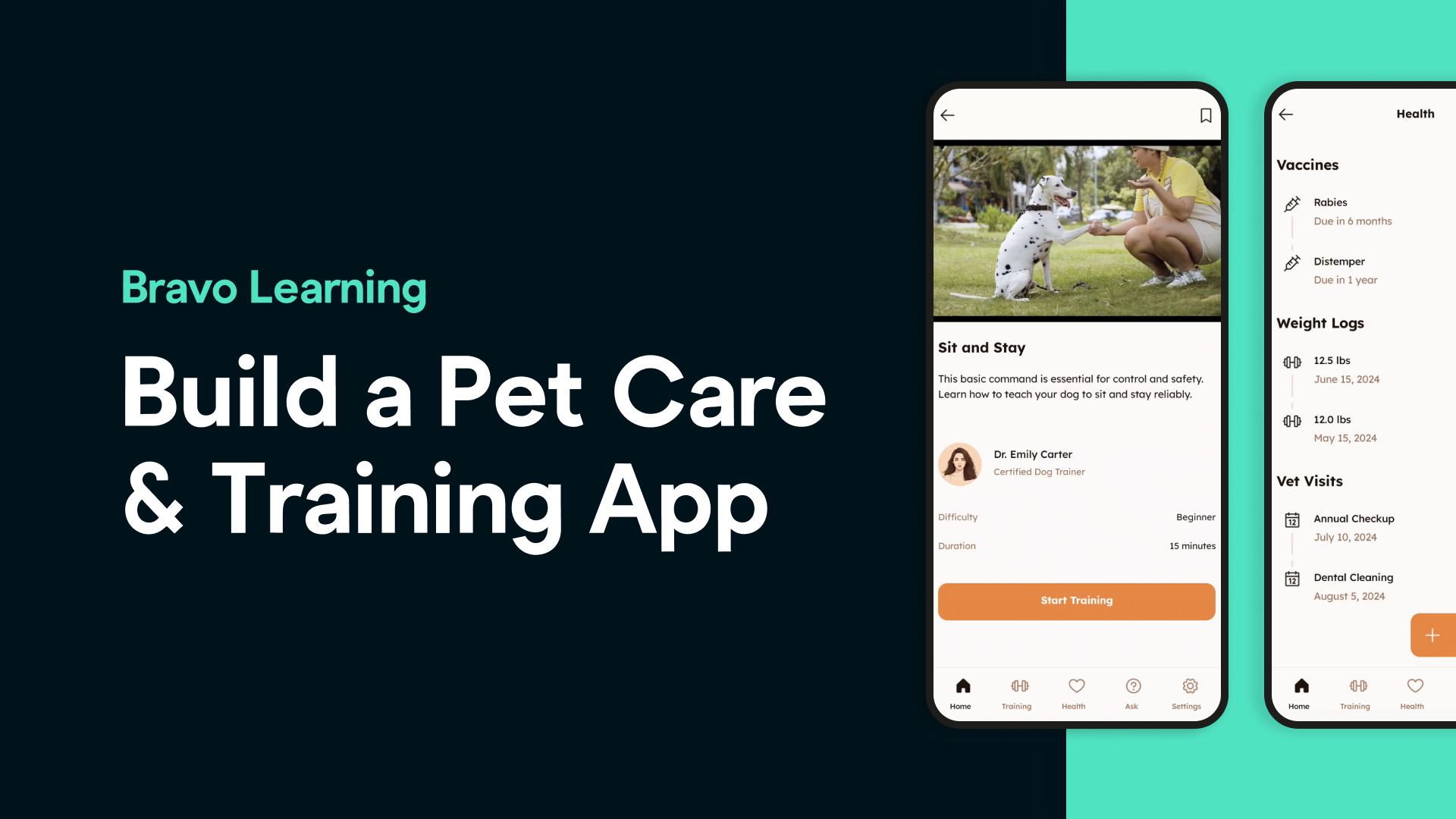
In this tutorial, we walk you through how to build a fully functional Pet Care & Training App using:
🧠 Stitch by Google (for app design using AI)
🎨 Figma (for customization)
📱 Bravo Studio (to build real iOS/Android apps)
🔐 Kinde & Xano (for login and backend)
💸 RevenueCat or Kinde Billing (for monetization)
Let’s break it down.
1. Generate a Pet-Friendly App UI with Stitch
We started in Stitch by Google using this prompt:
“Design a calming, friendly mobile app UI for a pet care content creator. The app should feature dog and cat training tutorials, feeding guides, grooming tips, and pet wellness videos.”
Stitch gave us a clean, welcoming layout with:
A welcome screen
A login page
A library of pet videos
A featured section for care routines or seasonal advice
2. Customize It in Figma
Once the design looked solid, we exported it to Figma to:
Polish the typography and color scheme
Add Bravo Studio tags for key screens like login and video views
Define navigation using Figma prototyping
This gives us full control and prepares the design for Bravo.
3. Build the App in Bravo Studio (Without Code)
With one click, we imported our Figma design into Bravo Studio.
Bravo converts your UI into a real iOS and Android app — instantly.
We tested it live using Bravo Vision, Bravo’s mobile preview app. From login to video tutorials, everything was functional.
4. Add Pet Tutorial Videos Using Web View
To stream video tutorials and grooming guides, we used Bravo’s Web View tag.
This allowed us to embed a custom video player (pointing to YouTube or hosted content) right inside the app.
Your users can now:
Watch dog training videos
Follow cat care routines
Learn tips on grooming, feeding, and behavioral training
5. Secure Login & User Access with Kinde
To keep content protected and exclusive, we set up secure authentication using Kinde, Bravo’s external OAuth snippet, and Xano as the backend.
Now, only your subscribers or registered users can access premium pet care content.
6. Add Monetization (Optional)
Want to earn from your app?
We connected RevenueCat to offer in-app purchases and subscriptions — allowing pet creators to offer:
Monthly plans
Exclusive video content
Paid access to advanced guides
Kinde Billing is another great option for simplified subscription flow.
And That's It! 🐶🐱
In just a few hours — and with zero code — we built a sleek mobile app that:
Showcases your pet care and training videos
Helps users care better for their animals
Protects your content behind secure login
Monetizes your expertise
Bravo Studio makes it fast, simple, and scalable — so you can focus on what you do best: sharing your passion with the world.
Frequently Asked Questions
**Q: Do I need coding skills to build this app?**
No. Bravo Studio, Stitch, and Figma are no-code tools. You’ll never touch a line of code.
**Q: Where do my videos need to be hosted?**
You can use YouTube, Vimeo, or any custom hosting solution that supports web video playback.
**Q: Can I sell subscriptions to access my pet care content?**
Yes! Use RevenueCat or Kinde Billing to sell access to premium content.
**Q: Is this app publishable on the App Store or Google Play?**
Yes. Bravo Studio apps can be published to both platforms.
**Q: How long does it take to build an app like this?**
You can have a fully functional prototype in a few hours. A polished app can be ready in less than a week.
**👉 Ready to build your own Pet Care App?**
🎁 Use code TR50AD3M for 50% OFF your first 3 months of our Business app add-on*(includes up to 100 screens + RevenueCat support). *Offer valid until August 31, 2025.