Are you a parenting coach, baby care specialist, or family wellness creator with a wealth of knowledge — but no dedicated app to reach your audience?
Imagine turning your parenting tips, baby routines, and expert guidance into a mobile app in just a few hours — without writing a single line of code.
That’s exactly what we built using Stitch by Google, Bravo Studio, and a few powerful backend integrations. In this post, we’ll show you step-by-step how we created a beautiful, fully functional parenting and baby care mobile app ready for iOS and Android.
Step 1: Design the App with Stitch by Google
We started with Stitch by Google, an AI-powered tool that generates beautiful UI screens in seconds based on a simple prompt. We asked Stitch to design a baby care and parenting guidance app — focused on:
A warm, soft, and family-friendly visual tone
A welcome screen with onboarding text
A login page for secure access
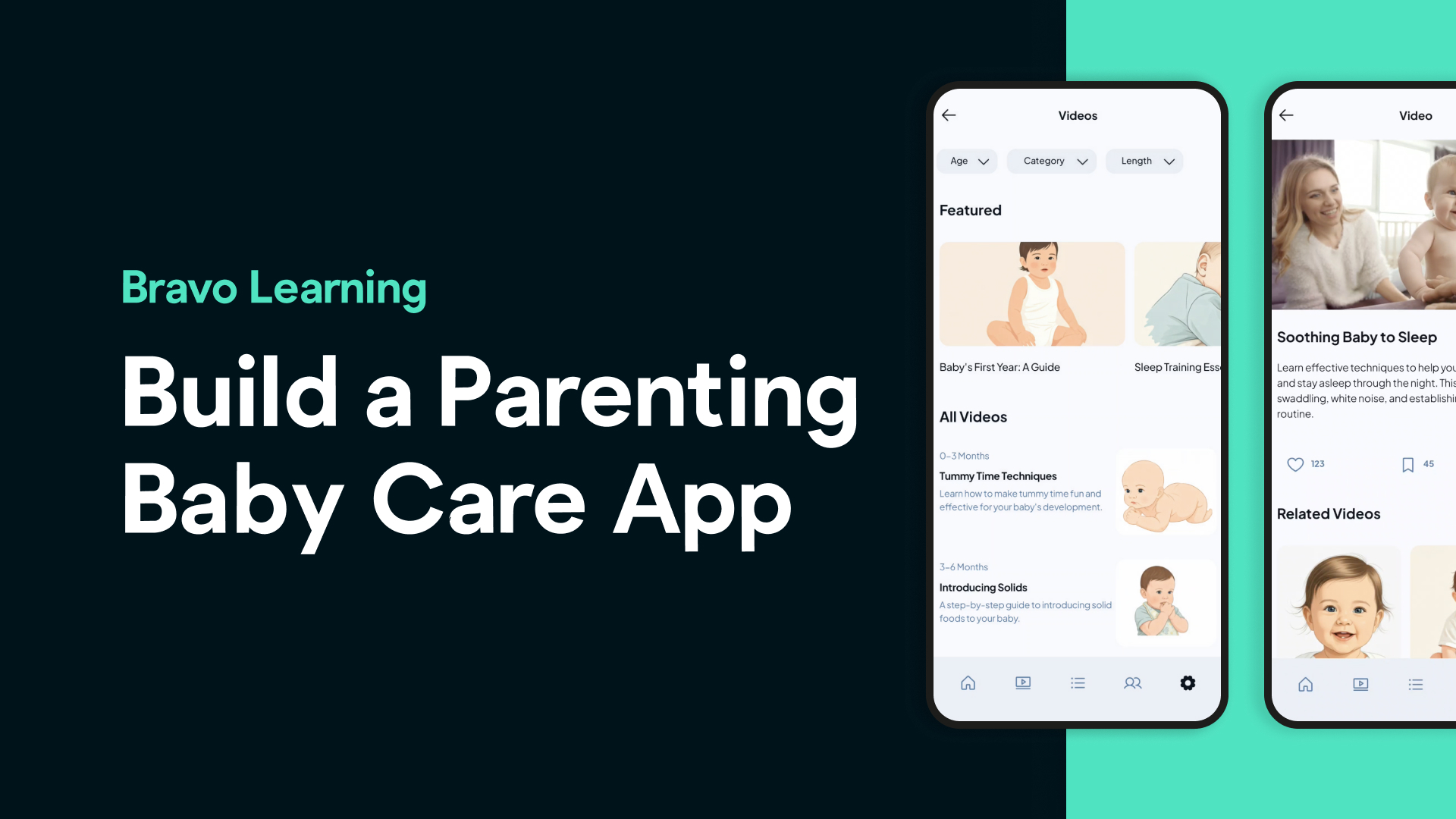
A video library for parenting tutorials and baby care content
A featured section for daily routines, sleep guides, or milestone tracking
In just seconds, Stitch gave us a clean and practical layout.
Step 2: Customize the Design in Figma
Next, we exported the design into Figma where we fine-tuned it:
Adjusted fonts and colors to reflect a soft and nurturing theme
Updated UI elements to better support parenting content
Designed a custom app icon to give the app a professional, branded look
We then used Bravo Studio’s Figma plugin to tag each screen with the appropriate Bravo Tags, such as:
logintags for the login screenwebviewtags for our embedded video playertab-menutag for custom navigation
This helps Bravo understand which screens require specific functionalities.
Step 3: Connect Screens and Define Flow
Using Figma prototyping, we connected all screens to create a smooth, intuitive user journey — from sign-in to accessing baby sleep tutorials, parenting tips, or nutrition videos.
Step 4: Build the App in Bravo Studio
With our Figma design ready and tagged, we imported it into Bravo Studio.
Bravo instantly transforms your design into a working mobile app. We previewed our app using the Bravo Vision app — and everything looked just right.
Step 5: Add Video Content via Web View
We wanted to deliver our parenting content through video, so we injected a custom video player web component into the app using Bravo’s Web View feature.
This player connects to our hosted video tutorials — whether from YouTube, Vimeo, or a custom source — allowing users to learn and follow along directly within the app.
Step 6: Set Up Authentication with Kinde
To protect premium content, we enabled user login using Kinde and Bravo’s external OAuth2 snippet with a Xano backend.
This ensures only registered or paying users can access exclusive parenting resources.
Step 7: Backend Setup with Xano
We used Bravo’s Xano snippet to manage:
User accounts
Saved videos or routines
Favorite parenting content
Backend logic — all without writing a single line of backend code
Step 8: Monetization (Optional)
Want to make your app profitable? Add RevenueCat or Kinde Billing to enable:
Subscription models
One-time content unlocks
Tiered access to specialized parenting programs
It’s a plug-and-play integration to help you monetize your parenting expertise.
The Result: Your Own Baby Care App, Live and Working
In just a few simple steps, we built a fully functional parenting guidance app — completely no-code — that you can use to engage your community, grow your brand, and generate revenue.
Whether you're a baby sleep consultant, parenting blogger, or early childhood expert, Bravo Studio gives you the tools to build and launch a mobile app in hours, not months.
Want to try it yourself?
🎁 Use code TR50AD3M to get 50% off your first 3 months of the Business App Add-On. (Offer valid until August 31, 2025)
FAQs
**Do I need to know how to code to build this app?**
No! This entire app was built without writing any code, thanks to tools like Bravo Studio, Figma, and Xano.
**Can I host my own baby care videos or use YouTube links?**
Yes. You can link to hosted videos, YouTube playlists, or Vimeo — and display them inside your app using a web view.
**Can I charge users to access certain content?**
Absolutely. By integrating RevenueCat or Kinde Billing, you can charge users for subscriptions, one-time purchases, or premium plans.
**Can I build this for both iOS and Android?**
Yes. Bravo Studio outputs apps for both platforms from the same project.
**What if I already have parenting content on a website?**
You can repurpose it directly in the app — video, articles, or routines — and offer it in a better experience for mobile users.