Why Build a Finance & Budgeting App?
Money management is one of the biggest challenges people face today. Whether it’s learning how to budget, tracking expenses, or getting expert financial coaching, users are increasingly looking for mobile-first solutions that make finance simple and accessible.
As a financial coach, content creator, or money educator, you can deliver real value by packaging your tips, lessons, and tools into a dedicated app. With Bravo Studio, Figma, and Stitch by Google, you don’t need coding skills to create a professional iOS and Android app — ready to guide your audience toward financial success.
Step 1: Generate the App Design with Stitch by Google
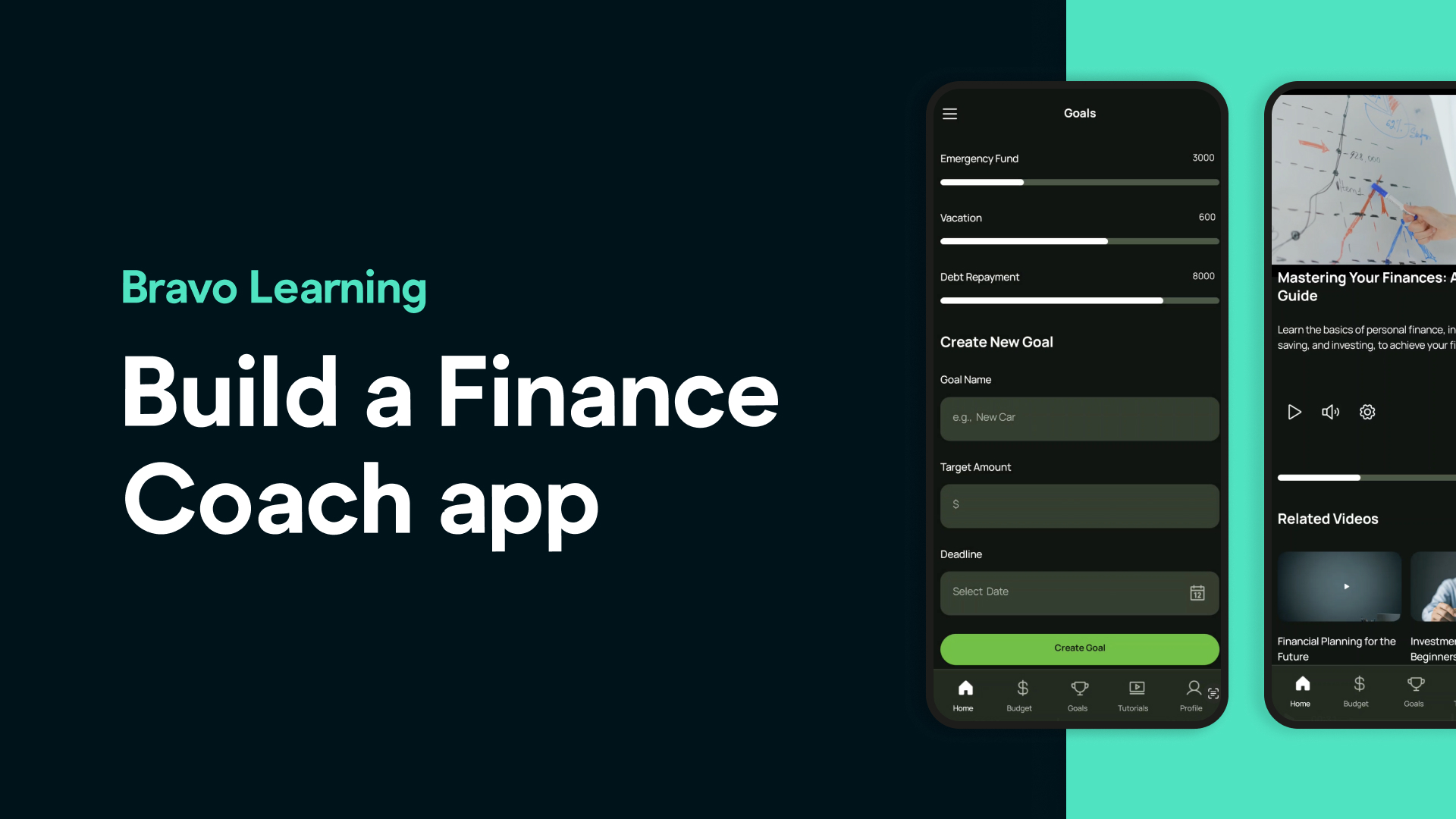
We started by prompting Stitch by Google to create a clean, modern UI for a finance coaching app.The AI instantly produced a layout with:
A welcome screen
A secure login page
A video library for money lessons
A dashboard with expense trackers and budgeting tools
A featured section for personalized financial challenges and tips
This gave us a solid foundation to work with — in minutes.
Step 2: Refine the Design in Figma
Once exported to Figma, we customized the look and feel:
Adjusted typography for readability and trustworthiness
Applied a professional color palette (greens, neutrals, and soft gradients for a modern financial vibe)
Refined spacing and layout to emphasize clarity and ease of use
We also designed a custom app icon to give the app a polished, recognizable presence on mobile devices.
Step 3: Bravo Studio – Turn Designs Into a Real App
Using the Bravo Studio plugin for Figma, we applied Bravo Tags to key screens like login, video lessons, and the budgeting dashboard. These tags tell Bravo how to convert each screen into working app functionality.
With one click, Bravo transformed the Figma file into a real, testable mobile app for iOS and Android — no coding required.
Step 4: Add Powerful Integrations
To make the app functional, we connected a few integrations:
Kinde + Xano: For secure login, user accounts, and backend data like saved budgets and spending history.
Custom video player via Bravo Web View: To deliver money lessons and financial tutorials directly in the app.
RevenueCat or Kinde Billing: To enable subscriptions, premium coaching sessions, or exclusive budgeting templates.
Step 5: Test and Publish
With the Bravo Vision app, you can preview the full experience instantly on your phone. Once you’re satisfied, you can publish directly to the Apple App Store and Google Play Store.
Why This Works for Finance Coaches
With this no-code approach, you can:✅ Offer personalized budgeting tools✅ Deliver video lessons and financial tips✅ Build trust with a polished, professional app✅ Monetize your expertise with premium subscriptions
All without writing a single line of code.
Conclusion
In just a few hours, you can build and launch your own Finance & Budgeting Coaching App. Bravo Studio, powered by Figma and Stitch by Google, makes it possible for financial experts to scale their knowledge, engage their communities, and empower users to take control of their money — all from a beautifully designed mobile app.
Ready to start? Build your finance app today with Bravo Studio — no code required.